Structured drafting
Write court documents in blocks while Praxis controls fonts, margins, randnummer numbering, heading numbering and the exhibit inventory.
Document Maker is the single Praxis authoring tool. Open it once from the sidebar, then choose the mode that fits the job. You can move between modes from the authoring navigation without hunting through separate tools.
Write court documents in blocks while Praxis controls fonts, margins, randnummer numbering, heading numbering and the exhibit inventory.
Start from a legal template, fill in parties and case data, or ask Praxis Bot for a first draft. Continue the result in the structured editor.
Administrators and partners can edit firm-scoped Typst templates, preview them and compile a PDF without creating a second authoring product.
Toggle Preview to see the final, formatted PDF side-by-side while you type. The preview recompiles automatically after every auto-save, so what you see is exactly what will be filed.
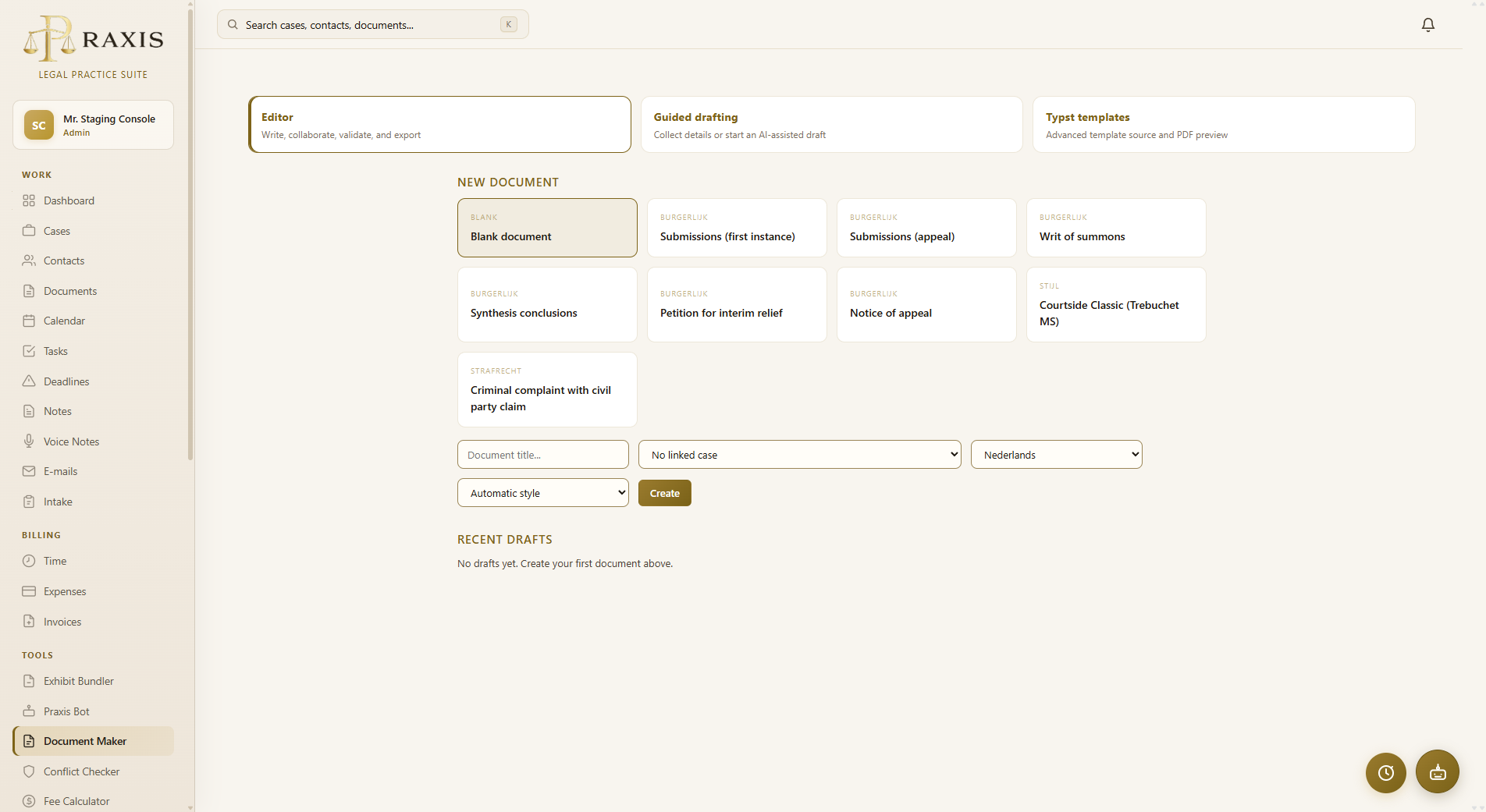
Choose a template, add parties, link a case and fill the required fields. Guided drafting can create the first text from those fields or from an AI instruction. Use Continue in Document Maker to turn the result into a normal, editable structured draft instead of leaving it in a separate generator.
Administrators and partners can open the Typst mode from the same Document Maker navigation. It lists built-in and firm templates, exposes their variables, provides a preview and compiles the edited source to PDF. Typst is the layout engine; it is not a separate sidebar tool.
Several people can work on the same draft at once. Everyone sees who is editing which paragraph (colored name tags), changes appear within a second, and saves never conflict. Colleagues in your firm just open the same document; external collaborators join through a share link.
Share a draft the way you would share a OneDrive file — the recipient needs no Praxis account:
Links can be labeled, given an expiry (7/30/90 days or never) and revoked instantly. Every access is counted and audited.
On AI-enabled plans, the AI text button lets Praxis Bot write a paragraph for you. Click into an empty paragraph and ask — the bot knows the document structure, the section you are in, and the linked case (description, court, parties). It writes in formal legal register, never invents facts, and marks unknown data with placeholders like [DATUM]. You review and edit the text before it is inserted.
The Check button verifies the document against its template: missing required sections, empty randnummers, exhibit references that point outside the inventory. Warnings never block you — they are a pre-filing checklist.
Typst/PDF remains the authoritative layout. DOCX and ODT are editable exchange copies generated from the same structured draft, preserve authored content and numbering, and use portrait A4. Export is one-way by design: the draft in Praxis stays the single source of truth.